Add a new trusted certification authority
By default, Mediation Controller server components only trust certificates issued by the Systancia certification authority (CA).
In order to use certificates generated by different CAs, whether for connecting an Edge Gateway or internal components of the Mediation Controller server (SSL Router and Watchdog service), it is necessary to add the different CAs to the list of trusted CAs.
Access the Mediation Controller server's web interface with the URI /system.
Examples
If access to the Mediation Controller on its web IP address is 10.0.10.10, then access to the system interface will use the URL: https://10.0.10.10/system.
If access to the Mediation Controller is possible with a DNS name, for example cyberelements-cleanroom.domain.local, then access to the system interface will use the URL: https://cyberelements-cleanroom.domain.local/system.
Important !
For any changes to the password, license, or certificates (SSL Router, Watchdog, and cyberelements Cleanroom client), connect to the actual IP address for clusters (RIP_MED_WEB_MASTER or RIP_MED_WEB_SLAVE).
-
Select the tile
PKIs:
-
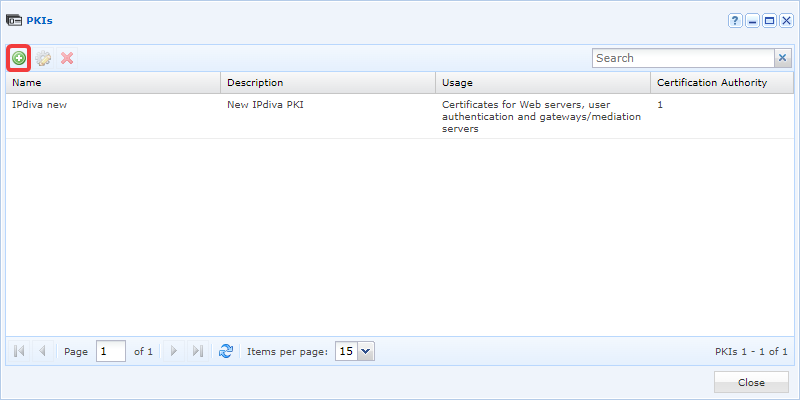
Click on the PKI creation button:
-
Give the new PKI the name you want. Add a description if necessary. Select
Certificate gateways/mediation serversin theUsagefield and then clickValidate: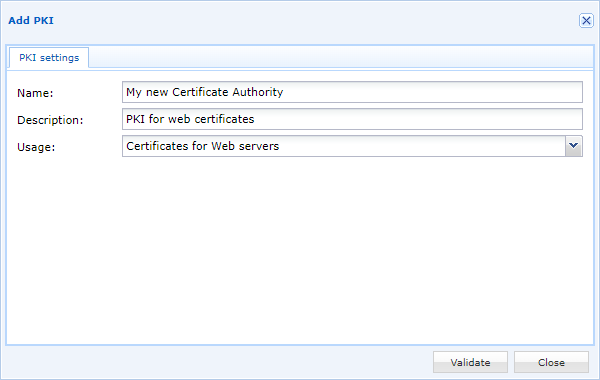
-
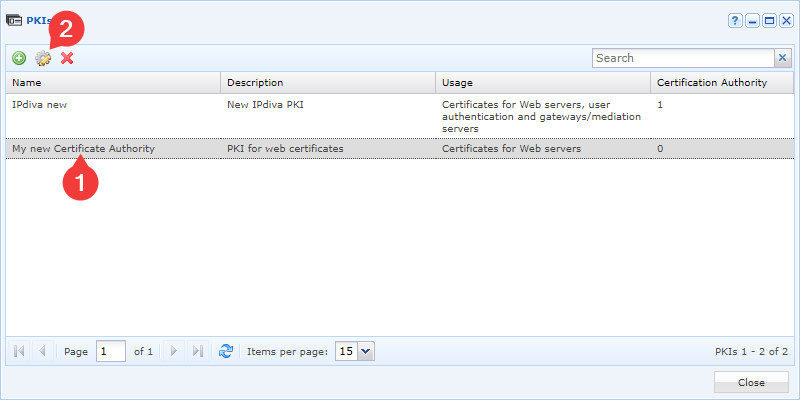
Edit the new PKI by clicking on the gear icon:
-
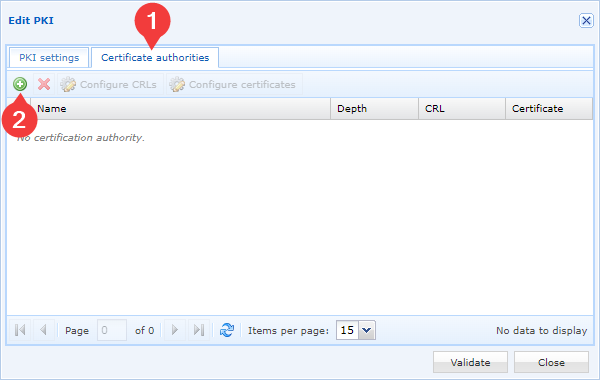
Then add new CAs using the following button:
-
Select your CA certificate file and confirm your choice:
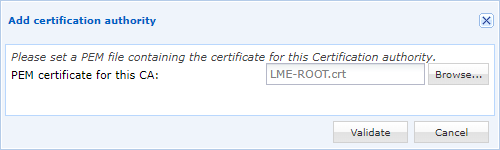
You will need to repeat the last two steps as many times as you have certification authorities. We recommend adding all certification authorities.
Attention
To take the new trusted CAs into account, it is necessary to restart the components SSL server and Watchdog.
If the platform is already in production, this action will disconnect all Edge Gateways, which will impact user sessions.
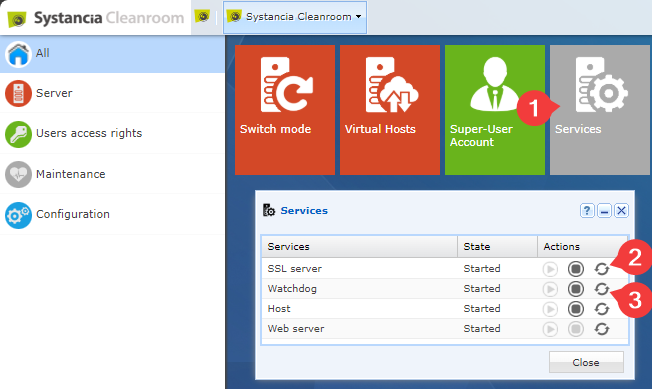
- Click on the
Servicestile. - Restart the
SSL server. - Restart the
Watchdog.