Create/modify/delete a structure in an organizational tree
Creation/modification/deletion via the interface
Creation
To create a structure, click on the “ ” button located to the right of the parent structure to which you want to add the new structure. If there is no “” button, it means that the organizational tree structure does not allow you to add a sub-level.
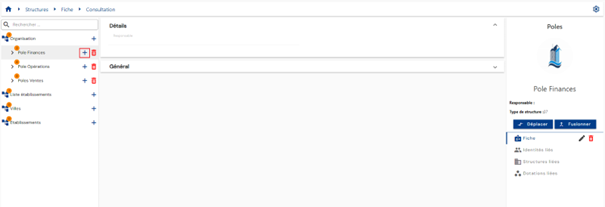
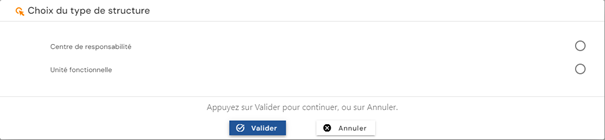
If several types of structure can be added, then it is necessary to select the desired type of structure.
Fill in the form to create a structure:
- Code: code for the structure. Must be unique for a type of structure, without spaces or special characters. Mandatory.
- Name: name of the structure. Label that will be displayed in the various forms of the application. Mandatory.
- Description: field for entering a description of the structure. Optional.
- Various attributes, if present. Attributes can be assigned values depending on the configuration of the creation form.
Actions on buttons in creation mode:
 : Cancels the current entry and removes the creation form from the screen.
 : Validates the form and switches the page to view mode.
Modification
To modify a structure, you must either open the structure in view mode or click on the desired structure in the organizational tree and then click on the “ ” button.
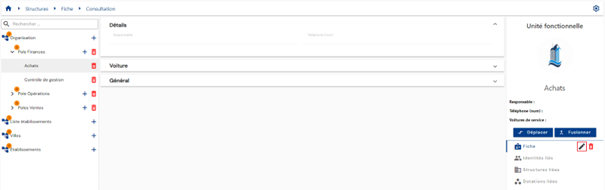
Modify the general settings and/or attributes in the structure modification form. Attributes highlighted in gray can be modified. Attributes on a white background cannot be modified.
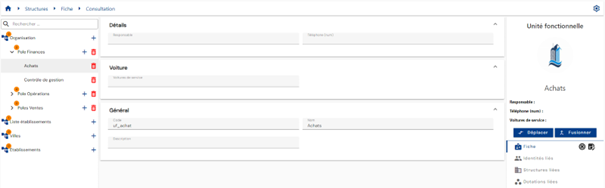
Actions on buttons in modification mode:
- : cancel the current entry and switches the page to view mode.
- : Validates the form and switches the page to view mode.
Deletion
To delete a structure, you must:
- Either click on the “
 ” button located in the tree structure on the left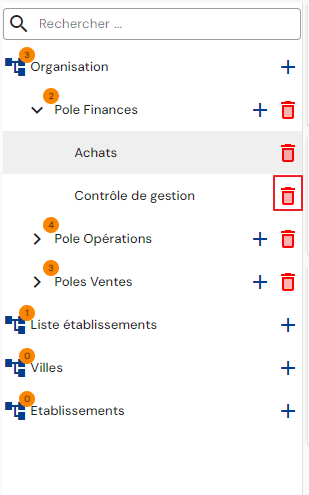
- Either open the structure in view mode and then click on the “” button.
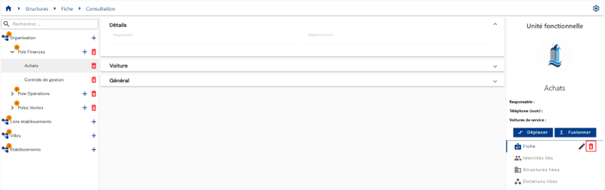
A confirmation message appears before the structure is deleted.
Warning: it is not possible to delete a structure as long as related objects exist (identities, entitlements, accounts, etc.).
Creation / modification / deletion via SIP
To create, modify, or delete a structure using the Systancia Identity Provisioning (SIP) engine, you must create an upstream provisioning connector: structures that meet the synchronization rules will be created, updated, and deleted in Systancia Identity from an external authoritative source, according to the rules defined in the import rules.
The provisioning sequence must include at least the following elements:
- An export of the authoritative repository
- An export of the Identity repository of type “STRUCTURES”
- A synchronization rule
- An import rule in the Identity repository of type “STRUCTURES”
Please refer to the Automatic Provisioning Connector Management page to create a connector.