Merging two structures
Merging two structures can only be done manually via the Systancia Identity interface. When merging two structures, there is a “master” structure, which will remain, and a “secondary” structure, which will be deleted.
Merging two structures first recalculates the values of structure-type attributes for identity, assignment, or structure objects, and then recalculates all authorizations related to rules that apply to the merged structures (master and slave).
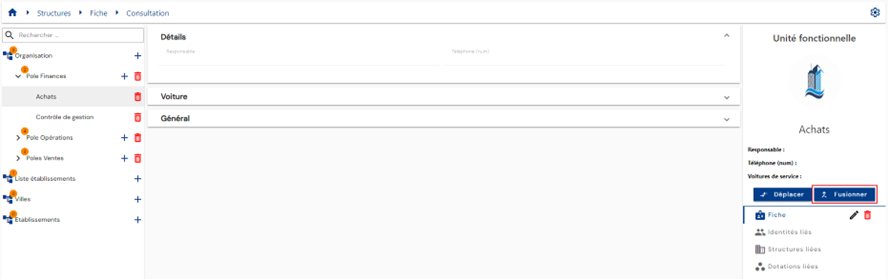
To merge two structures into one, open the “secondary” structure in view mode, then click on the “Merge” button.
Select the “master” structure.
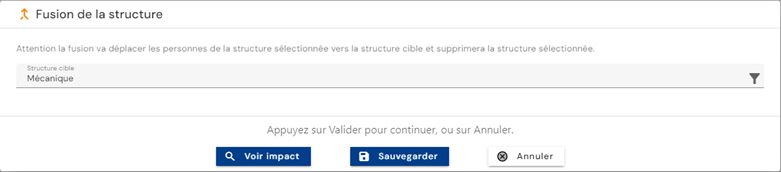
Button actions:
-
See the impacts: Two impact tables can be displayed by clicking on the “Display” buttons:
The first table lists all the theoretical impacts associated with the structure merger:
- The inherited rights of the new structure and its hierarchy for persons belonging to the structure being merged are marked as added rights without taking into account the real right model
- The inherited rights of the structure being merged that will be deleted after the operation for persons belonging to the structure being merged are marked as deleted rights without taking into account the actual rights model
The second table lists the actual impacts related to the structural change:
- Rights marked as added rights or deleted rights take into account the rights model (example: a person belonging to the structure being merged who inherits a right related to the new parent structure would not appear in the list if they already had the right via another authorization rule or via a manual addition).
-
Cancel: cancels the current entry and switches the page to view mode
-
Save: Validate the form and switch the page to view mode