Running an “On demand” workflow
This feature allows the connected user to launch certain requests for their attention or that of other users.
To access the various “On user demand” workflows that have been configured you must navigate to the “New request” tab in the workflow operating console.
Click on the “Refresh” button to update the list of different existing requests:
- The list of available requests is displayed on the left side of the screen.
- A search field allows you to quickly search through all requests.
- The right side of the screen will display the request form configured according to the type of request.
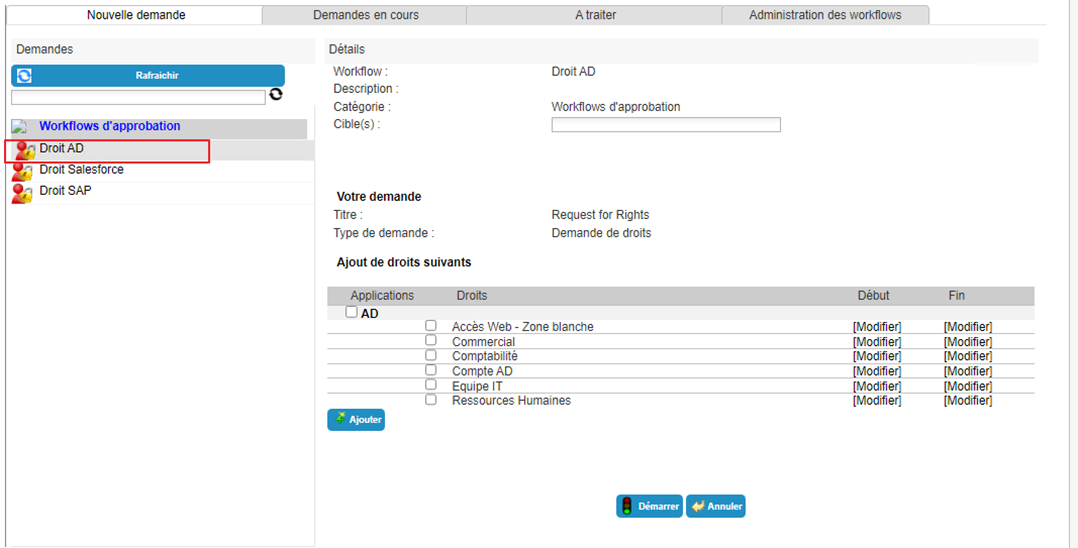
Requests can be of the following types:
- Editing an identity
- Assigning a resource
- Authorization assignment
- Manually provision an authorization
- Generic
Make a generic request
A generic request allows you to perform actions or tasks on one or more persons.
A generic request for a person (or yourself) is made via the “Execute an "On demand” workflow” menu.
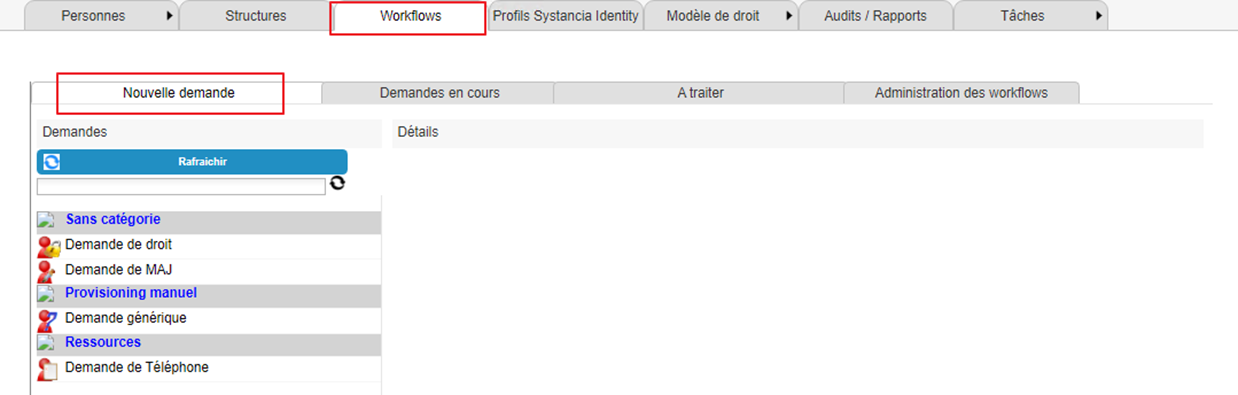
Click on the “Refresh” button to display the list of available workflows.
Click on the workflow of your choice to submit an authorization request.
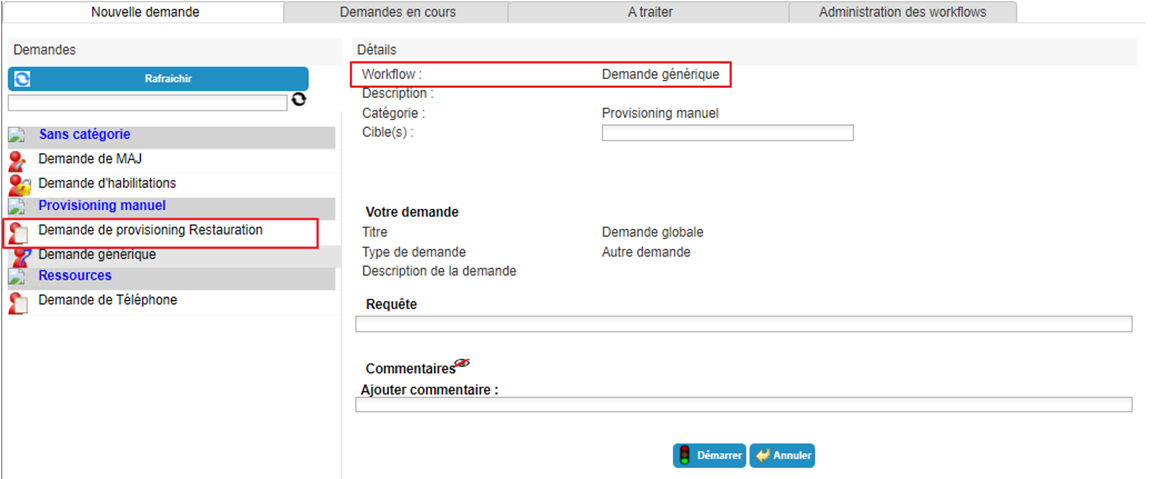
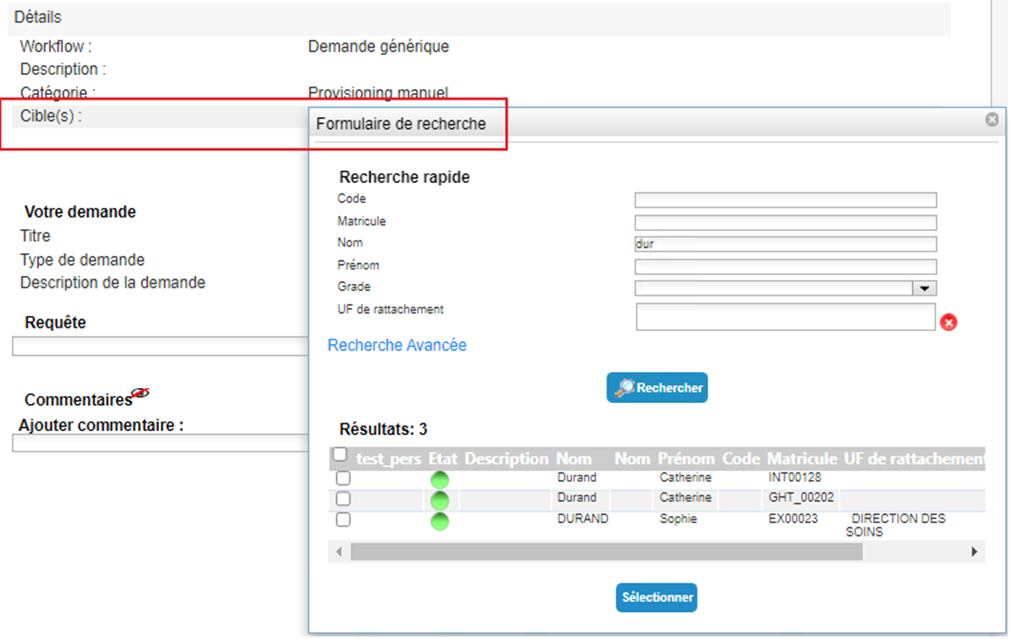
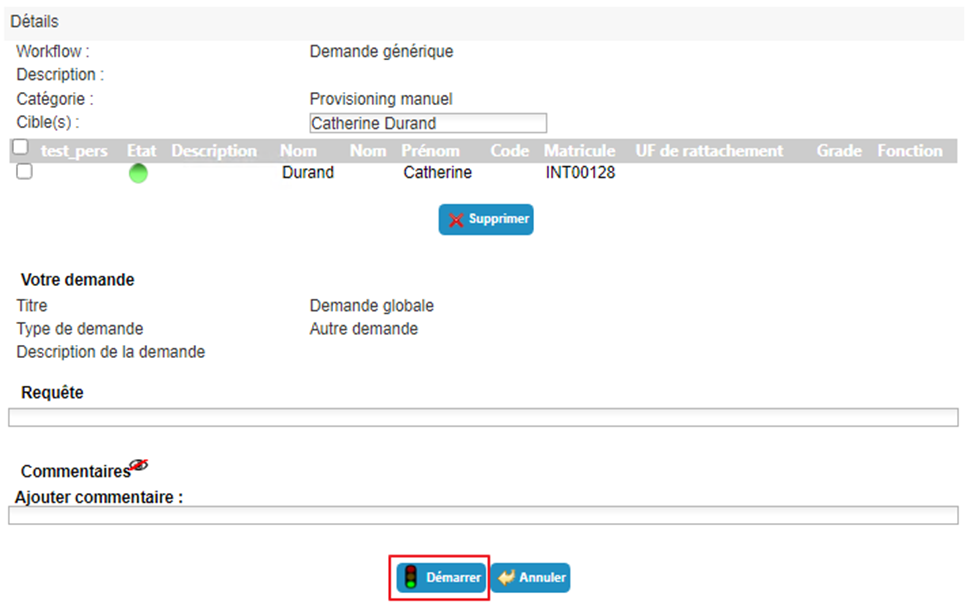
Select one or more identities to which the request refers.
If desired, it is possible to formulate a request (free text) and enter a comment (depending on the workflow configuration).
Click on the “Start” button and confirm the pop-up window.
After confirming the execution of the workflow, you will be automatically redirected to the page where you can view pending requests.