Create/modify/delete a person/identity
Creation/modification/deletion via the interface
To create a new identity, click on the “ ” button located to the right of the identity table header.

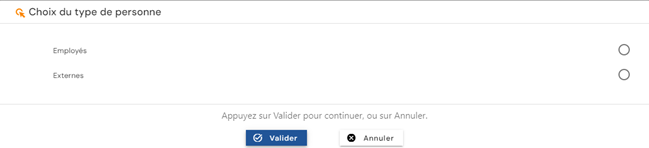
Select the type of identity you wish to create. The list of identity types is loaded based on those that are open for creation and according to the permissions of the connected user.
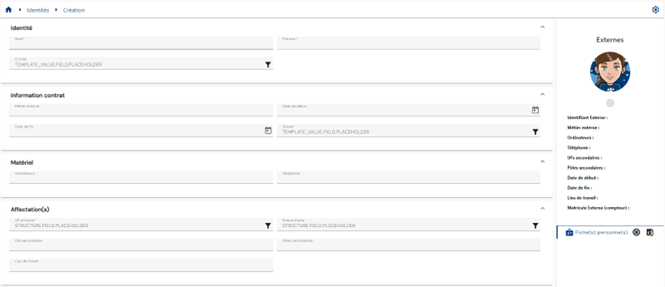
Fill out the identity creation form. Attributes marked with an “*” are mandatory for the form to be validated.
To modify an identity, open the identity in view mode and click on the “ ” button.
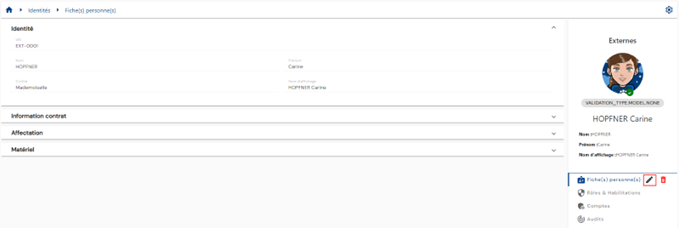
Modify the attributes in the identity modification form. Attributes highlighted in gray can be modified. Attributes on a white background cannot be modified.
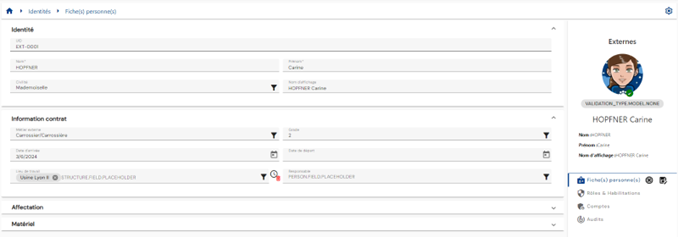
Action on buttons in creation and edit mode (buttons located to the right of the “Person record” menu):
 : Cancel the current entry and return to the list of persons page
 : Validate the form and switch the page to view mode
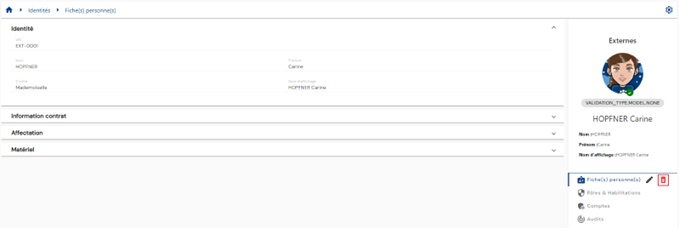
To delete an identity:
- Either in the identity results table, click on the “
 ” button to the right of the desired identity.
 - Or on the identity record in view mode, click on the “” button to the right of the “Person record” menu.
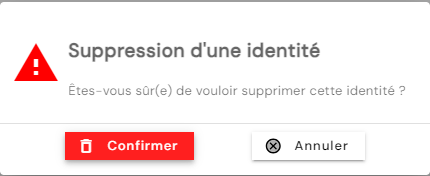
A confirmation message will appear before the identity is deleted.
Creation/modification/deletion via SIP
To create an identity using the Systancia Identity Provisioning (SIP) engine, you must create an upstream provisioning connector: identities that meet the synchronization rules will be created, updated, and deleted in Systancia Identity based on an external authoritative source, according to the rules defined in the import rules.
The provisioning sequence must include at least the following elements:
- An export of the authoritative repository
- An export of the Identity repository of type “USER”
- A synchronization rule
- An import rule in the Identity repository of type “USER”
Please refer to the Automatic Provisioning Connector Management page to create a connector.
Configure a validation step when creating, modifying, and/or deleting an identity
To enable the validation feature when creating, updating, or deleting an identity, you must:
- Configure an "On event" workflow on the "Person creation", “Person modification” or "Person deletion" event, with the "Before" trigger option:
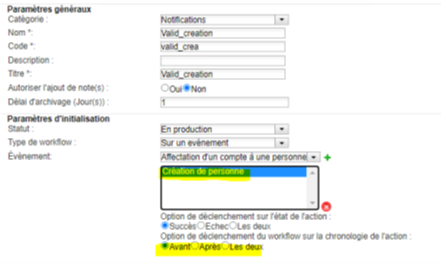
- Optionally apply a workflow scope, which can only be applied to person types. To apply a scope, it must be indicated in the workflow configuration using the following syntax:
1 | |
Submit a request to change a person/identity
To submit a request to change attributes for a person (or yourself), go to the “Run an ‘On demand’ workflow” menu.
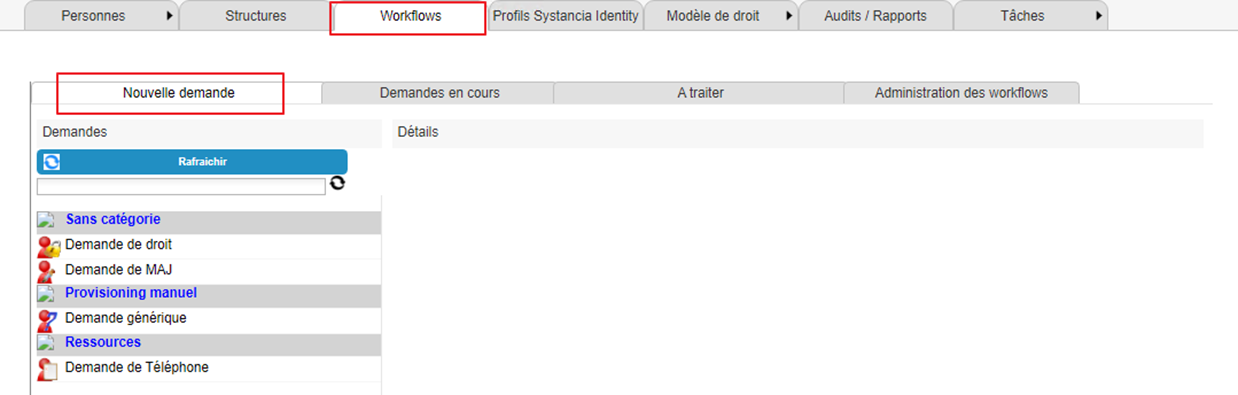
Click on the “Refresh” button to display the list of available workflows.
Click on the workflow of your choice to submit a request to change attributes for a person:
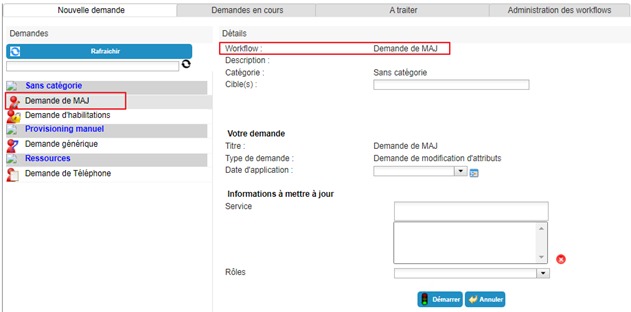
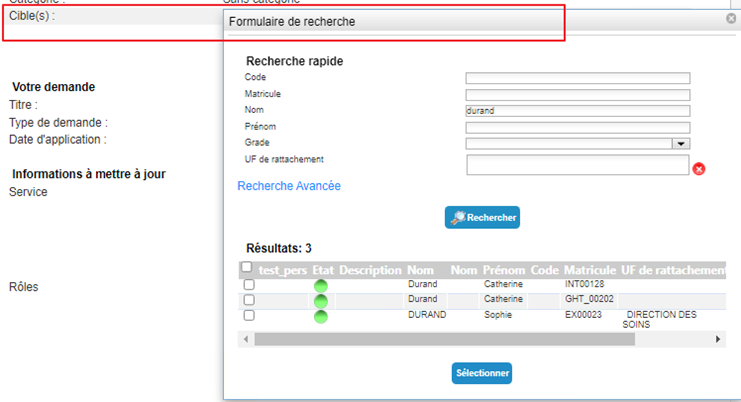
Select the identity to which the request refers:
Enter or select the new attribute values. You can delete values if the attributes are multi-valued.
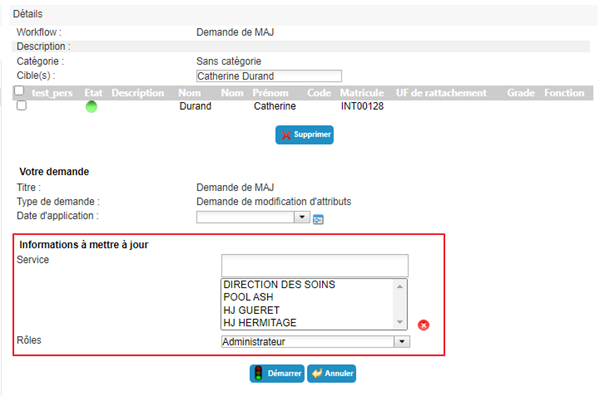
Click on the “Start” button and confirm the pop-up window.
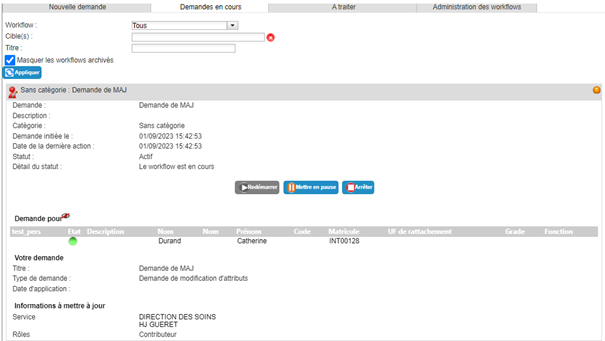
After confirming the execution of the workflow, you will be automatically redirected to the page where you can view pending requests.
Management rule in case of pending validation during the creation, modification, or deletion of an identity
Management rule in case of validation before the creation of a person
While awaiting validation of a creation, the identity entered has a “Pending validation” status on its person record. The calculated attributes and search rules are calculated, but no rights are assigned at this stage. It is therefore possible to search for and view the person.
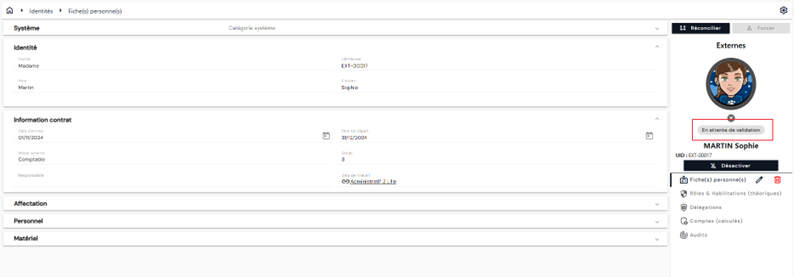
- If the validator rejects the creation, then the person is completely deleted from the database.
- If the validator accepts the creation, then all additional calculations related to the person (authorization and SoD rules, Identity profiles, reconciliation rules, etc.) are executed. The person's status is recalculated to match the result of the preconfigured formula.
Management rule in case of validation before person modification
After validation of the modification form, as long as the validator has not processed the task, the modified attributes submitted for validation retain their initial value on the consultation page.
No calculations related to the modification of attributes pending validation are performed.
It is not possible to modify an attribute that has been modified and is pending validation.
- If the validator rejects the modification, then the new value of the attribute is deleted and no changes are made to the person record.
- If the validator accepts the modification, then all calculations related to the modified attribute (dependent calculated attributes, search rules, authorization and SoD rules, Identity profiles, reconciliation rules) are performed.
Management rule in case of validation before deleting a person
After validation of the deletion confirmation form, as long as the validator has not processed the task, the person is still present in Systancia Identity with the status “Pending validation”.
- If the validator refuses the deletion, then the identity will be returned to its “normal” status.
- If the validator accepts the deletion, then the identity will be deleted.
Managing homonyms
Systancia Identity can be configured to detect homonyms when creating people via the interface. If this is the case, a warning popup indicates that the creation of the new person may duplicate one or more other identities:
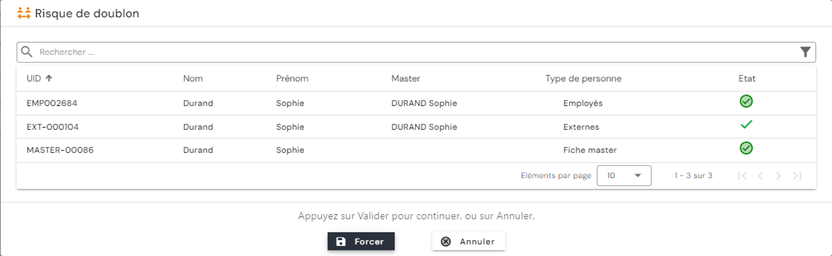
If this popup appears, the person creating the identity can choose to force the validation of the form by clicking on the “Force” button or cancel the creation by clicking on the “Cancel” button.
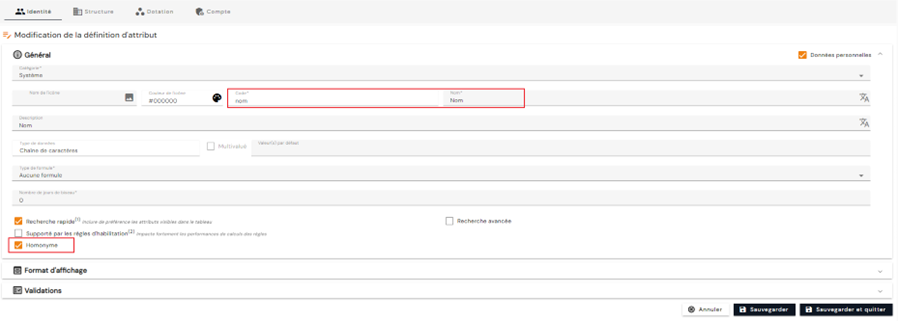
To configure the attributes to be compared in the homonymy detection rules, go to the identity attribute configuration, open the desired attributes in edit mode, then in the “General” category, check the “Homonymy” box.