Viewing a person's audits
This feature allows you to view audits generated by actions performed by a user or by actions performed on an identity.
A person's audits can be viewed via the person's viewing page, in the “Audits” tab.
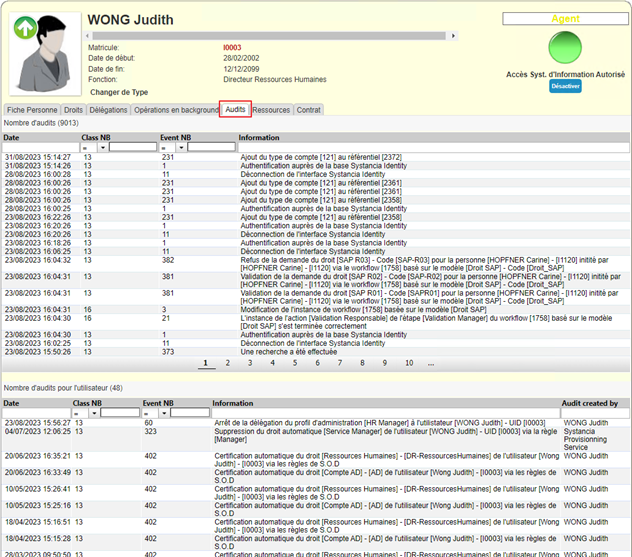
The first table lists all actions performed by the identity being viewed.
The second table lists all actions performed on the identity being viewed.
The data is sorted by default by operation date, in descending order. You can change the display order by clicking on a column header.
To refine the search, you can use the search filters in the column headers.