Create/Modify filtering rules
Filtering rules allow you to filter objects processed in a data source (export source, export target, or synchronization result) in order to either not compare the object, if filtering in exports, or not perform a write, if filtering on the result of a synchronization.
Examples of use cases:
- Need to filter all active persons in the authoritative source (HR source) in order to update the data in the target source (Systancia Identity) without taking into account persons who are no longer with the company.
- Need to delete all persons with an end date less than 30 days in the synchronization result, as we do not want to delete persons who have been inactive for less than 30 days.
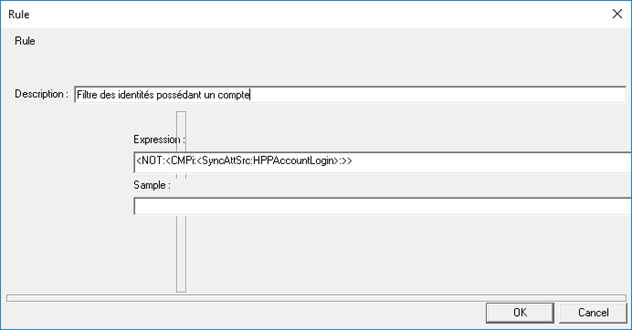
Filtering rules are created in the form of an expression. Expressions are written using keywords. Refer to the “List of keywords” page to find out which syntax to use in your case. A description of the filter can be added.
Example of a filtering rule: for an Identities + Access export, we only want to keep identities that have an account on the given repository. In this example, we use the keywords “CMPi” and “NOT”. Literally, the following formula stipulates that we want to filter objects that have the HPPAccountLogin attribute equal to empty.