Edge Gateway Monitoring
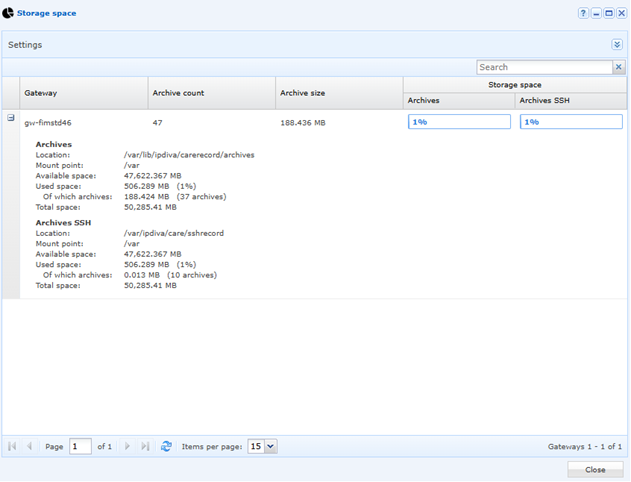
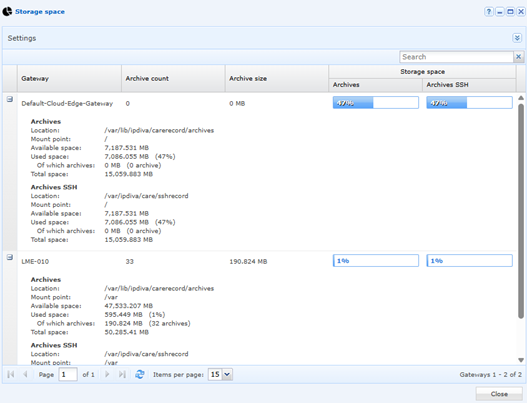
Disk space monitoring for all Edge Gateway servers is accessible from the administration console in the “Reports” menu:


This menu allows you to monitor the disk space consumed by the storage of the video recordings generated:
Below is a list of services that can be monitored:
| Service | Description | Comment |
|---|---|---|
| apache2 | WEB Server | |
| collectd | Statistics collection and monitoring daemon | Prerequisites for Systancia installation |
| cron | Regular background program processing daemon | To run automated scripts |
| getty@tty1.service | Getty on tty1 | |
| snmpd | SNMP Daemon | |
| ssh | SSH Service | To log in to cyberelements as root |
| rsyslog | System Logging Service | |
| networking | Network Service | |
| ntp | Network Time Service | |
| ipdiva | LSB: Start IPdiva services | |
| ipdiva-webdavserver | LSB: Start IPdiva Webdav Server component | |
| ipdiva-gw-controller | IPdiva Gateway Controller Service | |
| ipdivacarerecord | CareRecord | To monitor sessions with an agent (RDS) |
| ipdivasafe-directssh | CareDirectSSH | For direct SSH recording |
| cleanroom-webrecord | IpdivaSafeXrdp | To monitor web sessions |
| cleanroom-xrdp-sesman | Xrdp session manager | To monitor sessions without an agent (VNC & RDS) |
| cleanroom-xrdp | Xrdp daemon | For recording sessions without an agent (VNC & RDS) |
| tomcat9.service | Apache Tomcat 9 Web Application Server | Web server for HTML5 |
| ssh-ssh-ipdivacare | OpenBSD Secure Shell Server | SSH Session Manager |
| guacd | LSB: Guacamole proxy daemon | HTML5 sessions |
| openvpn | OpenVPN service | VPN resources |
| systemd-journald.service | Service log | |
| systemd-logind.service | Login service |