Configuring log outsourcing to the Sekoia solution
Warning!
The procedure for setting up log outsourcing to Sekoia.io differs depending on whether you are in a cyberelements Cleanroom or cyberelements.io context.
Specific instructions for the product used will be provided.
Enable log redirection
Access the web interface of the Mediation Controller server or your cyberelements.io tenant with the /console URI.
Examples
If access to the Mediation Controller on its web IP address is 10.0.10.10, then access to the system interface will use the URL: https://10.0.10.10/console.
Si l'accès au Mediation Controller est possible avec un nom DNS, par exemple cyberelements-cleanroom.domain.local, alors l'accès à l'interface system utilisera l'URL : https://cyberelements-cleanroom.domain.local/console.
Si la plateforme utilisée est cyberelements.io alors l'accès peut se faire simplement via l'accès à son tenant, par exemple pour un nom de tenant my-tenant l'accès serait le suivant : https://my-tenant.cyberelements.io.
Il est aussi possible d'accèder directement au fomulaire de connexion de la console d'administration via https://my-tenant.cyberelements.io/console.
Access the Configuration work plan by clicking on the icon below:
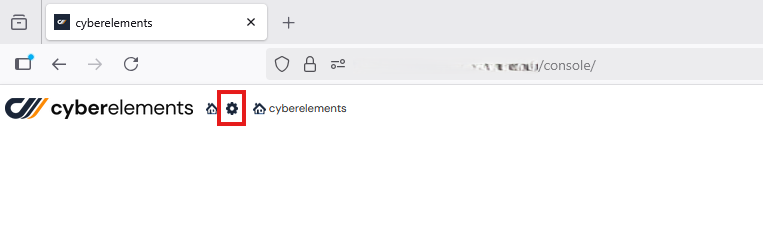
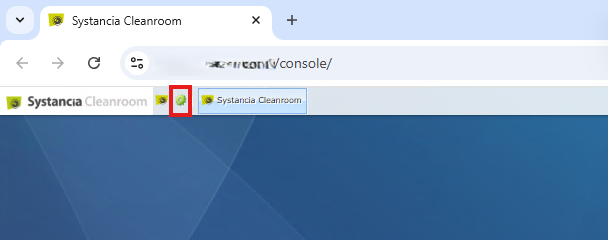
Then click on the General Options tile:
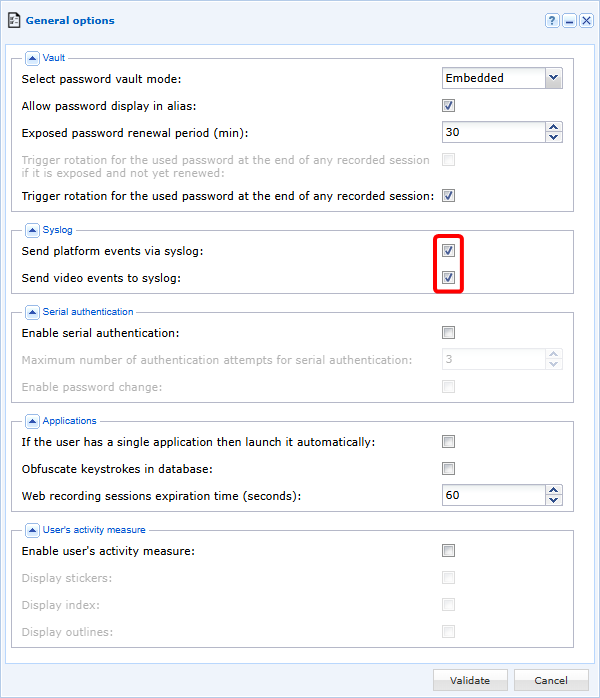
Check the boxes Send platform events via syslog and Send video events to syslog:
Configure log redirection
Warning!
In order to set up the appropriate system configuration for the Sekoia log concentrator, you must contact Systancia.
Access the Mediation Controller server's web interface with the URI /system.
Examples
If access to the Mediation Controller on its web IP address is 10.0.10.10, then access to the system interface will use the URL: https://10.0.10.10/system.
If access to the Mediation Controller is possible with a DNS name, for example cyberelements-cleanroom.domain.local, then access to the system interface will use the URL: https://cyberelements-cleanroom.domain.local/system.
Important !
For any changes to the password, license, or certificates (SSL Router, Watchdog, and cyberelements Cleanroom client), connect to the actual IP address for clusters (RIP_MED_WEB_MASTER or RIP_MED_WEB_SLAVE).
Then access the log configuration in the Log Options menu:
To configure the logs:
- Check the box
Send events to a remote syslog server - Specify the address and port of the Sekoia log hub
- Select the TCP (recommended) or TLS transport protocol
- Check the box
Allow the organizations to send their events via syslog
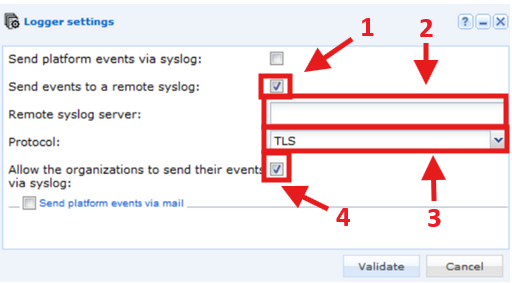
Log redirection is now effective to your Sekoia log hub.
Configure Sekoia to interpret logs
It is possible to customize log processing on the Sekoia side as indicated in the following documentation: Sekoia Docs