Creation/modification/deletion of an allocation (resource)
Creation/modification/deletion via the interface
Creation
To create a new allocation, click on the “ ” button located to the right of the allocation table header:

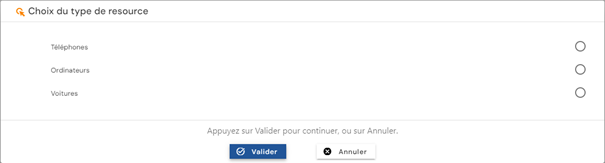
Select the type of allocation you wish to create. The list of allocation types is loaded based on those that are open for creation and also on the permissions of the person connected.
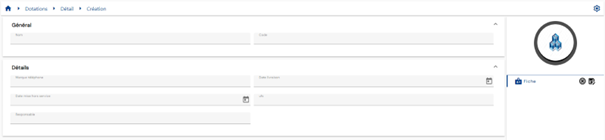
Fill out the allocation creation form. Attributes marked with an “*” are mandatory for the form to be validated.
Modification
To modify an allocation, open the allocation in view mode and then click on the “ ” icon.
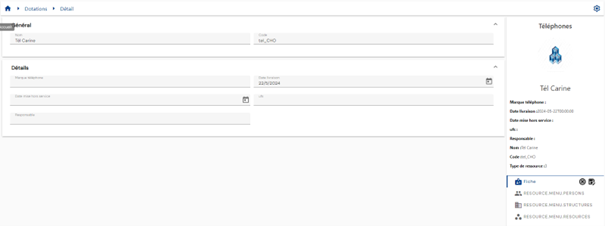
Modify the attributes in the allocation modification form. Attributes highlighted in gray can be modified. Attributes on a white background cannot be modified.
Action on buttons in creation and edit mode (buttons located to the right of the “Person record” menu):
 : Cancel the current entry and return to the list of persons page.
 : Validate the form and switch the page to view mode
Deletion
To delete an identity, in the identity results table, click on the “ ” icon located to the right of the desired identity.

A confirmation message will appear before proceeding with the deletion of the allocation.
Creation/modification/deletion via SIP
To create an assignment via the Systancia Identity Provisioning (SIP) engine, you must create an upstream provisioning connector: from an external authoritative source, assignments that meet the synchronization rules will be created, updated, and deleted in Systancia Identity according to the rules defined in the import rules.
The provisioning sequence must include at least the following elements:
- An export of the authoritative repository
- An export of the Identity repository of type “OBJECTS”
- A synchronization rule
- An import rule in the Identity repository of type “OBJECTS”
Please refer to the “Automatic Provisioning Connector Management” page to create a connector.