Configuring the SSL Router Address Announcement
Depending on the web interface access address, cyberelements Cleanroom can provide the client or Edge Gateway wishing to pair with a different connection address to the SSL router.
Generally applied configuration
Usually, the default SSL router advertisement is configured to declare the DNS name or public IP address used to access the SSL router. A new SSL virtual host is created so that when the product is accessed via the private IP address or an internal DNS name, it is the private IP address or internal DNS name that is returned.
Access the Mediation Controller server's web interface with the URI /system.
Examples
If access to the Mediation Controller on its web IP address is 10.0.10.10, then access to the system interface will use the URL: https://10.0.10.10/system.
If access to the Mediation Controller is possible with a DNS name, for example cyberelements-cleanroom.domain.local, then access to the system interface will use the URL: https://cyberelements-cleanroom.domain.local/system.
Important !
For any changes to the password, license, or certificates (SSL Router, Watchdog, and cyberelements Cleanroom client), connect to the actual IP address for clusters (RIP_MED_WEB_MASTER or RIP_MED_WEB_SLAVE).
Click on the tile Virtual Hosts: 
- Modify the SSL virtual host
default: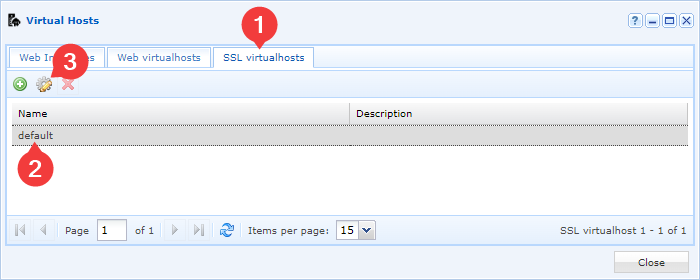
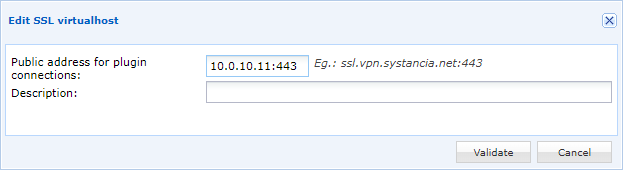
- Specify the access address to the SSL router, either using an IP address or a DNS name:
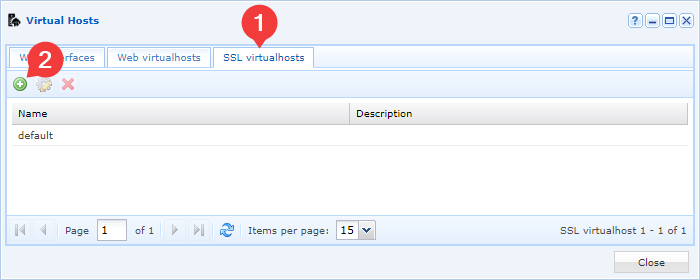
- Add a new SSL virtual host:
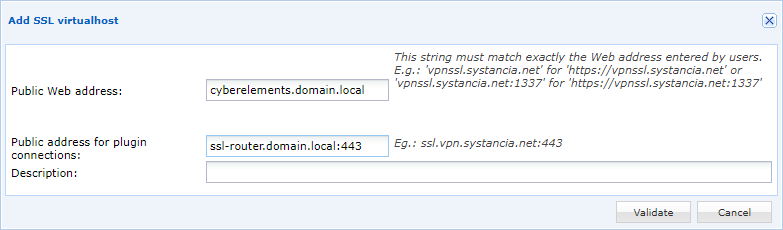
- Define which IP address or DNS name this SSL virtual host is used for and which IP address or DNS name will be returned for access to the SSL Router: