System backup
A complete backup of a cyberelements Cleanroom infrastructure involves backing up the following components:
Mediation Controller(only for cyberelements Cleanroom),Edge Gateway,Product database(only for cyberelements Cleanroom)
Backup of the organization
Attention
This section is specific to cyberelements Cleanroom infrastructures.
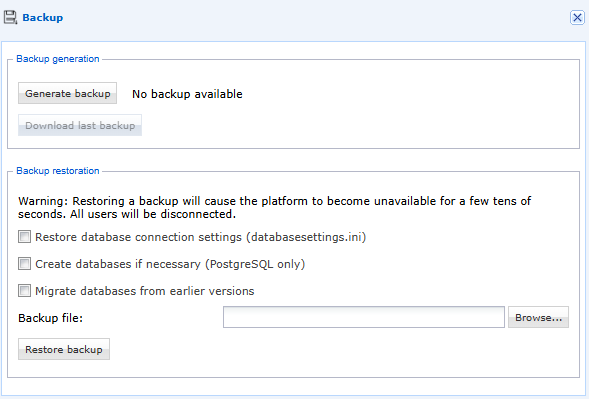
From the “Backup” menu on the “System” console, you can back up the cyberelements Cleanroom organization. Simply press the “Generate backup” button:
Backing up MSSQL databases
Attention
This section is specific to cyberelements Cleanroom infrastructures.
Any database backup procedure can be used. Below is one possible procedure for reference:
- Connect to the MSSQL Server engine, using the "sqlcmd" tool,
- Make a backup of the SQL Server database with the command:
1 | |
Backing up PostGreSQL databases
Attention
This section is specific to cyberelements Cleanroom infrastructures.
Any database backup procedure can be used. Below is one possible procedure for reference:
- Connect to the PostgreSQL engine from a Mediation Controller by executing the “psql” command.
- Back up the PostgreSQL Server database using the command:
1 | |
- Enter the password of the account used to perform the backup.
Server backup
To ensure that the Cyberelements Cleanroom environment is backed up, it is strongly recommended that you back up the following components:
- Mediation Controller server(s),
- Edge Gateway server(s),
- Server(s) hosting videos.
These different servers can be backed up in two ways:
- Via a backup tool (Acronis, VEEAM, etc.),
- Via a snapshot of the machines directly from the VMware hypervisor, Microsoft Hyper-V, or Nutanix Acropolis.