Installation of the Linux agent
The Linux agent is used by cyberelements.io / cyberelements Cleanroom to limit possible network access from SSH servers accessed by users (defined in access policies / contracts).
Prerequisites
A few prerequisites are necessary for the agent to function properly:
- Compatible OS: Red Hat 9 and Debian 12
- Presence of the
iptablesfirewall - Login with a different account than
root
Information
The Linux agent does not act on the root user, as this user always has sufficient rights to remove any restrictions that would be applied to them.
Furthermore, as some services use root rights, adding network restrictions could cause these services to become unstable.
Operation
The Linux agent is broken down into several parts:
- A systemd service named
cleanroom-filter - A PAM module named
pam_clr_filter - A SELinux policy for Red Hat to allow the SSH server to communicate with the
cleanroom-filterservice
The general operation follows this sequence:
sequenceDiagram
    autonumber
    participant MED as Mediation Controller
    participant GW_SSH as Edge Gateway<br/>SSH Recorder
    participant SSH as SSH Target<br/>SSH Server
    participant PAM as SSH Target<br/>pam_clr_filter PAM Module
    participant svc as SSH Target<br/>cleanroom-filter Service

    MED->>GW_SSH: Request to open an<br/>SSH application
    GW_SSH->>+MED: Retrieve filtering information<br/>for the session
    MED->>-GW_SSH: Send network<br/>filtering information
    GW_SSH->>+SSH: SSH Connection
    SSH-->-PAM: Creating an SSH session
    PAM->>+svc: Sending the username
    Note right of svc: Creating an iptables <br/>chain for the user named clr-LOGIN
    svc->>-PAM: Sending a unique token
    Note over PAM: Adding the CLR-ID environment<br/> variable containing the unique token<br/> to the user's session
    GW_SSH->>svc: Sending the list of networks to be authorized
    Note over svc: Creating an iptables OUTPUT rule<br/> to redirect the user's traffic to the iptables<br/> chain created previously
    Note over svc: Adding authorizations to the iptables<br/> chain created for the user
    break End of SSH session
        SSH->>+GW_SSH: End of session notification
        SSH-->svc: Detection of end of SSH session
        Note over svc: Deletion of iptables OUTPUT<br/> rule created for user
        Note over svc: Deletion of iptables chain<br/> created for user
        GW_SSH->>-MED: End of SSH session<br/> notification for user
end- The Mediation Controller server sends information to the Edge Gateway to open a new SSH session.
- The SSH recording service asks the Mediation Controller server for the network filtering information to apply to the SSH session.
- The Mediation Controller responds with a list of authorized networks.
- The SSH recording service then establishes the connection to the target SSH server.
- Connecting to the SSH server triggers the session creation sequence, and therefore the passage through the PAM modules assigned to
sshd. - The Linux agent's
pam_clr_filterPAM module sends the username to thecleanroom-filterservice, which then creates a new iptables chain namedclr-LOGINwhere LOGIN is replaced by the received username. - After creating the iptables chain, the
cleanroom-filterservice creates and sends a random token to thepam_clr_filterPAM module. The latter adds this token to the user'sCLR-IDenvironment variable. - The SSH recording service sends, via the
/usr/local/ipdiva/bin/cleanroom-netfiltersession.pyexecutable, the list of networks to be authorized to thecleanroom-filterservice. The service then creates anOUTPUTiptables rule to redirect all traffic from the user, identified by their UID, to the iptables chain created in step 6. All flows to be authorized for the user are added to the iptables chain. - When the end of the SSH session is triggered, the information is sent to the SSH recording service of the Edge Gateway.
- The
cleanroom-filterservice detects the end of the user's session and cleans up the added iptables rules: it deletes theOUTPUTdirective redirecting the user's traffic to an iptables chain and deletes the chain itself. - Once the Edge Gateway has received the end of the SSH session, it forwards this information to the Mediation Controller.
Installation
Required root permissions
root privileges are required to install the agent.
The .deb or .rpm package can be downloaded from the administration console:
- Access the “Configurations” workspace using the button located at the top left:

- Open the “Toolbox” tile

- Select the setup appropriate for the desired OS in the first tab, “Integration Tools”
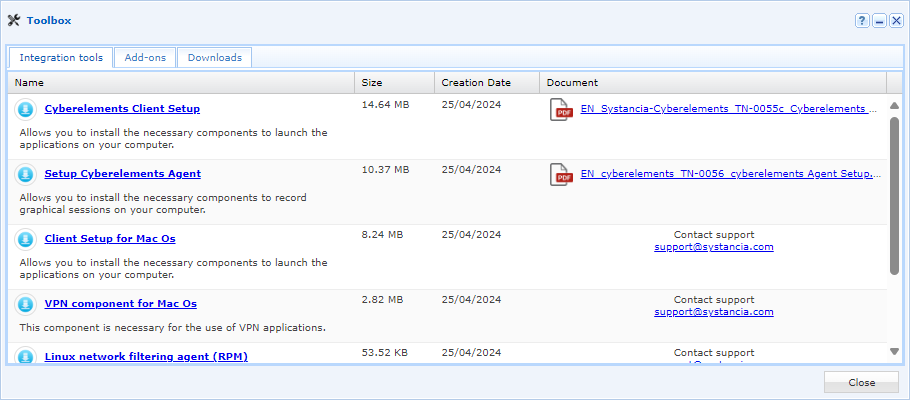
- Access the “Configurations” workspace using the button located at the top left:

- Open the “Toolbox” tile

- Select the setup appropriate for the desired OS in the first tab, “Integration Tools”
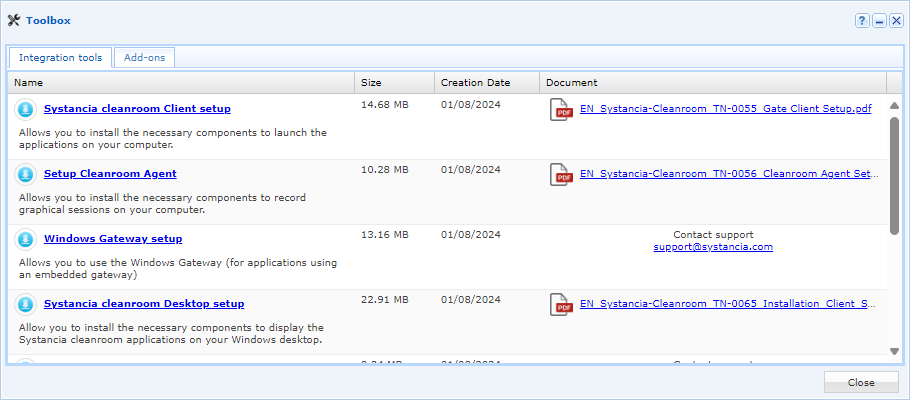
Once you have retrieved the package, send it to the Linux server in the /tmp/ directory. Then follow the installation instructions for your operating system:
Run the following commands with the appropriate root permissions:
1 2 | |
The second command automates the addition of two lines to the /etc/pam.d/sshd file, but this operation can also be performed manually:
27 28 29 30 31 32 33 34 35 36 37 | |
Run the following commands with root permissions:
1 2 | |
The second command automates the addition of two lines to the /etc/pam.d/sshd file, but this operation can also be performed manually:
11 12 13 14 15 16 17 | |