Duplicate a workflow
To duplicate a workflow, select the workflow to be duplicated and click the “Duplicate” button.
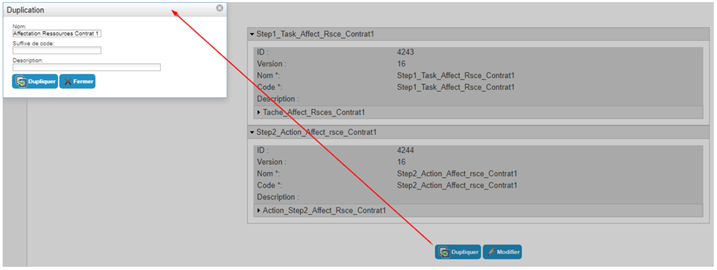
In the pop-up, enter a name for the new workflow, a code suffix, and optionally a description.
The code suffix you define for the duplicated workflow template will be appended to the codes of the new general configuration, steps, actions, and tasks. Ideally, choose a short code suffix.
Click on the “Duplicate” button to confirm.
The message “The object has been duplicated” will appear in the pop-up window and the new workflow will be available in the list.

Close the pop-up window and change the new workflow to adjust the configuration.
Don't forget to define the titles, names, translations, notification messages, and keywords in the formulas.