View audit reports
A report is a query that is executed in the Systancia Identity database to retrieve targeted information. The results are presented in a customizable table, which may also have an accompanying visual graphic.
To access the report viewing page, go to the “Audits/Reports” menu.

The first part of the screen displays the reports as a graph. The second part of the screen lists the reports by title.
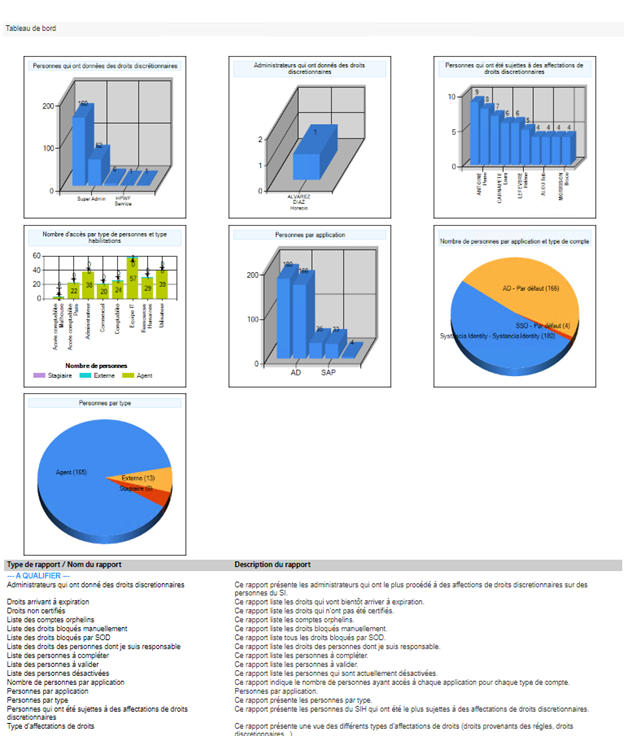
Click on an item in the list to view a report.
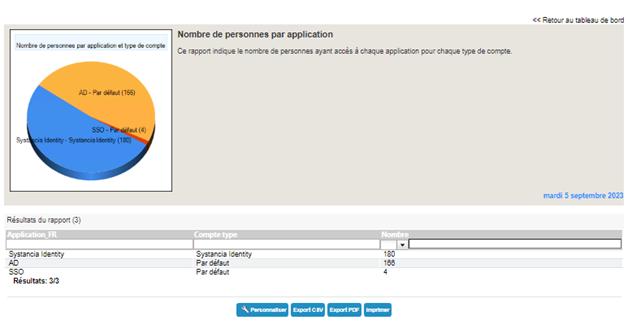
You can add or remove columns in the report by clicking on the “Customize” button (available depending on the report configuration).
Click on the “Export PDF” button to export the report in PDF format.
Click on the “Export CSV” button to export the report in CSV format.
Click on the “Print” button to print the report.