Allocations (resources) search module
To search for an allocation, go to the “Allocations” menu.
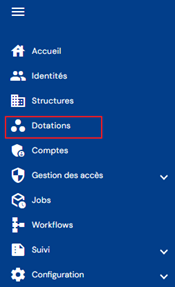
You will be taken directly to the allocation search page, preloaded without any filters applied but respecting the permissions associated with the logged-in user's profile.
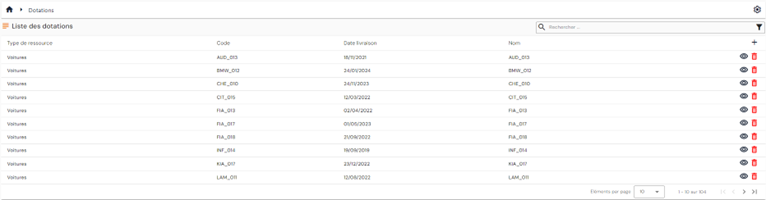
There are two types of allocation search:
- Quick search
- Advanced search
A pagination system is set up with a default display of 10 results.

It is possible to change the number of results to display and navigate between the different pages.
For each listed allocation, depending on the permissions of the connected user, the following action buttons may be available:
 : opens the allocation record in view mode. It is possible to switch from view mode to edit mode directly in the allocation record.
 : deletes the allocation record. A confirmation message is displayed before proceeding with the deletion.
The “ ” button located to the right of the table header allows you to add a new allocation.
The allocation search module is common throughout the solution where it can be called up (attribute of a structure, identity, etc.).