Installation of the Mediation Controller server
Initial system settings
When the Mediation Controller Standalone appliance is started for the first time, an initial machine configuration wizard appears. This wizard allows you to initialize the system-specific configuration as well as those specific to the use of cyberelements Cleanroom.
Systems settings
The wizard begins by asking you to select a language: 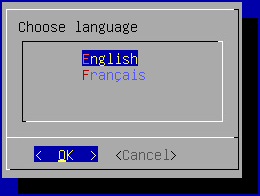
Information
The language you choose will affect both the system display language and the keyboard layout. In English, the keyboard will have a QWERTY layout, while in French it will be AZERTY.
The wizard then asks you to add a new password for the root system account (make sure it meets the required complexity): 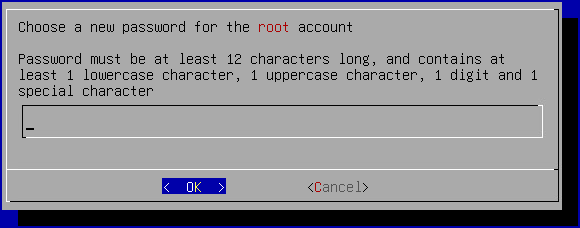
Next, you need to change the systancia system user account password (make sure it meets the required complexity): 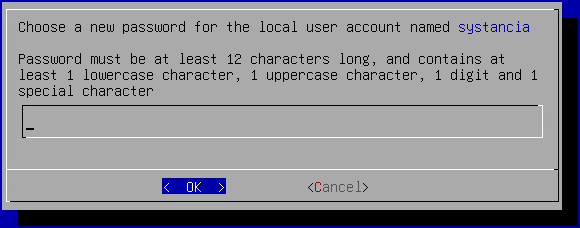
Finally, you need to enter the machine name: 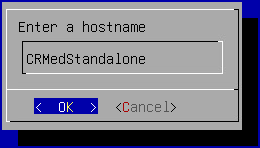
Network settings
Once the system settings have been applied, the wizard switches to the machine's network settings.
The Mediation Controller must have two fixed IP addresses. The first is used to access the product's various consoles and web portal. The wizard asks you to configure it first: 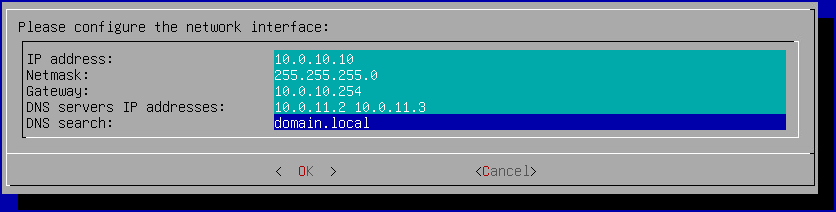
Tip
Several DNS servers can be entered (3 maximum) by separating them with spaces. Similarly, several DNS suffixes can be added by separating them with a space.
Next comes the configuration of the second IP address dedicated to the SSL Router component: 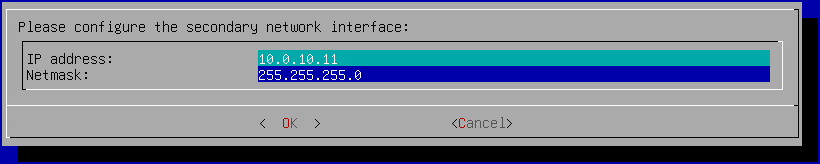
Settings specific to cyberelements Cleanroom operation
Once the network settings have been applied, a final configuration step specific to cyberelements Cleanroom is required: 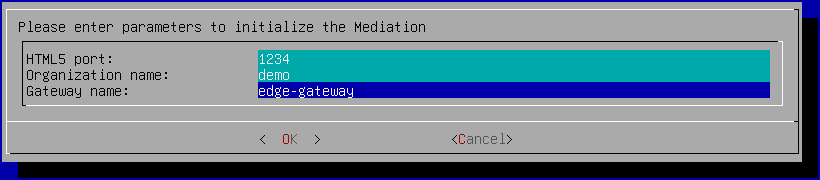
HTML5 port-
Definition of the local listening port for access to the HTML5 component. We recommend leaving the parameter at its default value
1234. If you do not plan to have an HTML5 Gateway, the field must still have a value. Organization name-
Name of the organization that will be used to access the HTML5 component. If you do not plan to have an HTML5 Gateway, then the field must be filled in with a fictitious value (this is not a standard installation).
Gateway name-
Name of the Edge Gateway (corresponds to the part before the
@in the CN of the certificate that will be used by the Edge Gateway), which also acts as the HTML5 Gateway. If you do not plan to have an HTML5 Gateway, then the field must be filled in with a fictitious value (this is not a standard installation).
To complete the operation, restart the server with the following command:
1 | |
Configuring an NTP time server
It is recommended to set up a time server to keep the system clock up to date. The necessary steps are described on the NTP configuration page.
Initial configurations on cyberelements Cleanroom
At this stage, the Mediation Controller server is installed, but several actions still need to be performed:
-
Change the default passwords
Change the default passwords for the system consoles.
-
Install certificates and licenses
The Mediation Controller requires various certificates and a license to be operational.
-
Configure the web certificate
Configure the web certificate used to connect to web interfaces
-
Declare a DNS name
Add a DNS name authorized to connect to web interfaces.
-
Configure the SSL virtual host
Configuration of the cyberelements Cleanroom SSL virtual host, which allows you to specify the connection address to the SSL router for clients and the Edge Gateway pairing mechanism.
-
Configure the organization
Configure the cyberelements Cleanroom organization.
-
Declare the Edge Gateways
Declare the Edge Gateways or HTML5 Gateways to be installed and generate a pairing token.
-
Create a logical site
Create and configure a logical site that groups together Edge Gateways and HTML5 Gateways that can access local resources.
-
Install an Edge Gateway
Install and configure a new Edge Gateway with the newly installed Mediation Controller server.
An HTML5 Gateway instance will also be configured.