Keeper Enterprise Password Management (Keeper EPM)
Prerequisites
In order for cyberelements.io or cyberelements Cleanroom to communicate with Keeper EPM via its APIs, you must have and assign a Keeper Secrets Manager (KSM) license to a service account.
License assignment is covered in the KSM Getting Started Guide: KSM Getting Started Guide
For a cyberelements Cleanroom platform, ensure that the Mediation Controller server(s) have access to the Keeper EPM servers based on the location where the credentials are stored:
- EU:
keepersecurity.eu - US:
keepersecurity.com - AU:
keepersecurity.com.au - CA:
keepersecurity.ca - JP:
keepersecurity.jp
Configuration
Creating a KSM access token
Before establishing the KSM connection, you must generate a KSM access token.
Warning!
KSM tokens allow access to credentials contained within a single Shared folder. If your accounts are not contained in this type of folder, you will need to transfer them.
To create a KSM access token, log in with the service account to the Keeper EPM vault and follow these steps:
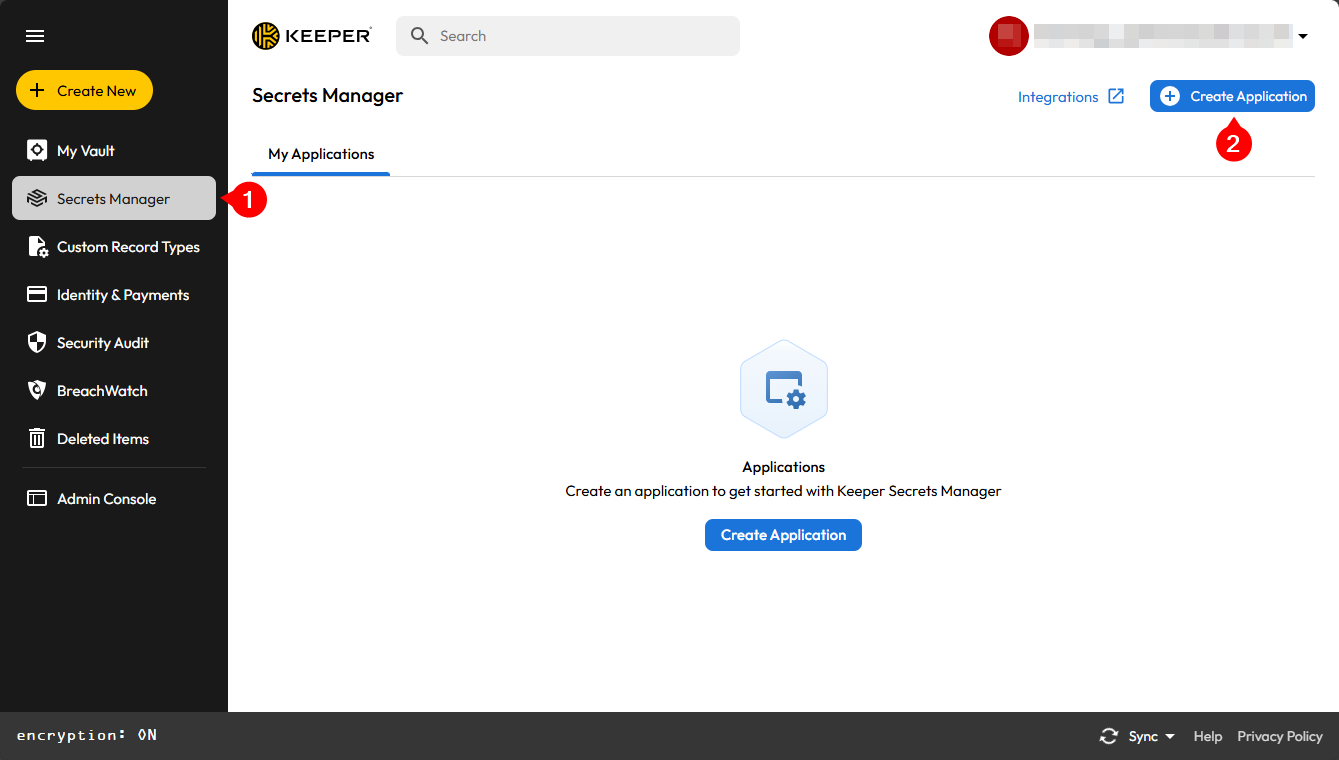
- Click on the
Secret Managermenu - Click on the
Create an applicationbutton
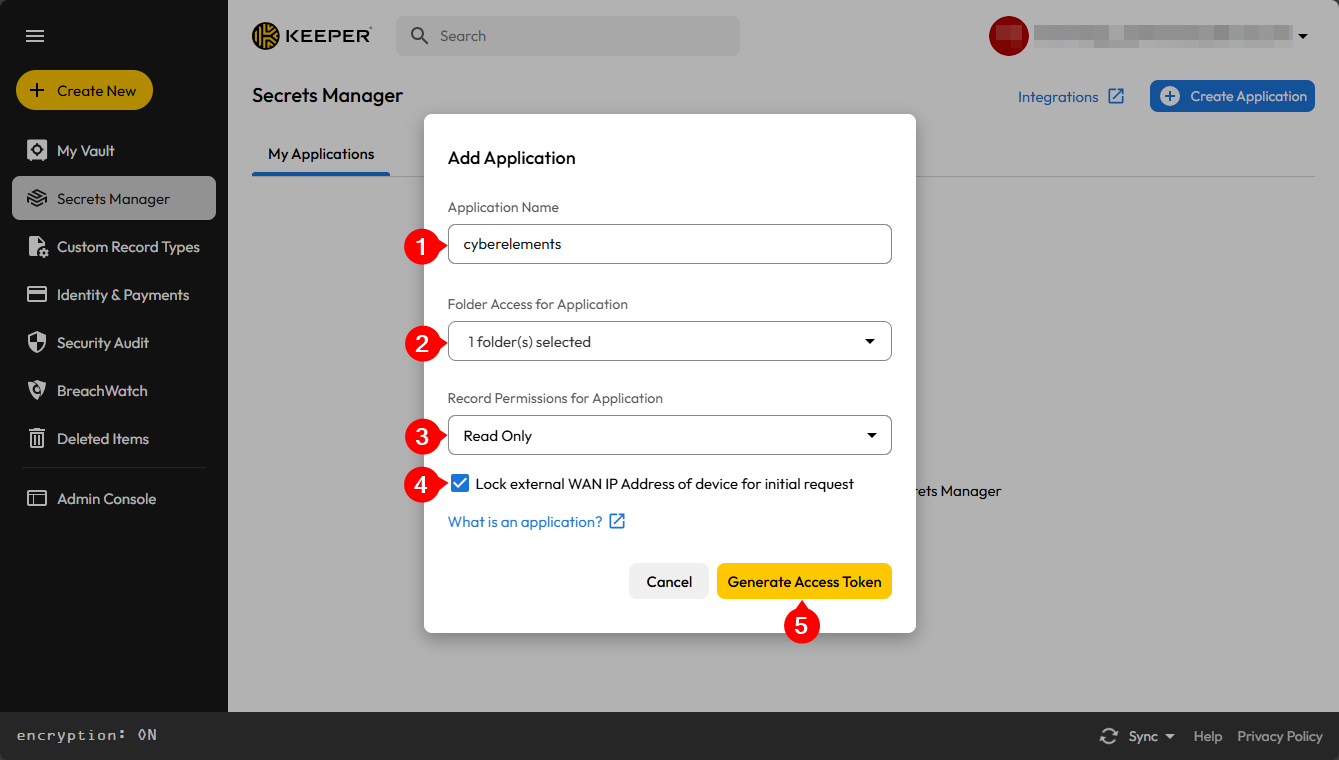
- Give this application a name to identify it
- Select the shared folder(s) that will be accessible to cyberelements.io or cyberelements Cleanroom
- Leave access permission as
Read Only - Check the
Lock the device's external WAN IP address for the initial requestoption. - Confirm the addition of the application
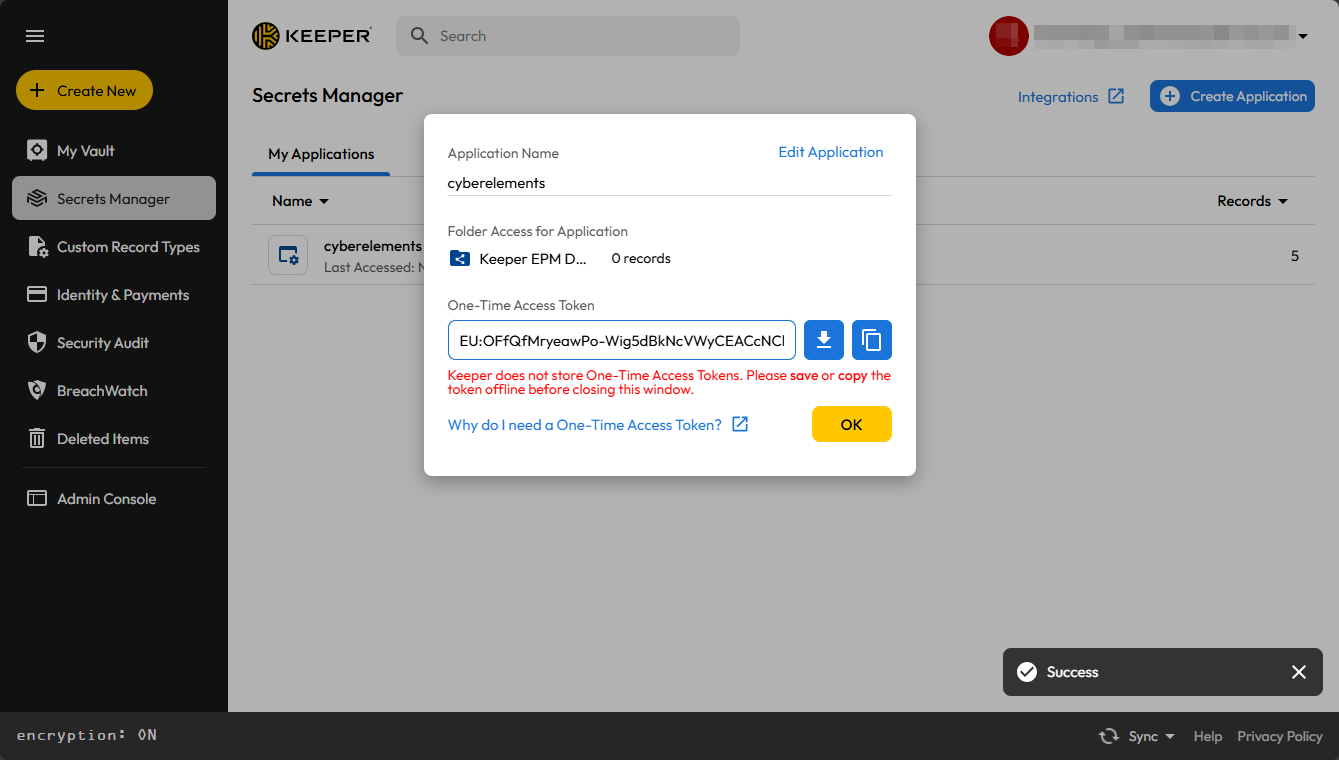
Retrieve and keep the KSM access token until it is configured in cyberelements.io or cyberelements Cleanroom.
Configuring the use of the Keeper EPM vault
Access the web interface of the Mediation Controller server or your cyberelements.io tenant with the /console URI.
Examples
If access to the Mediation Controller on its web IP address is 10.0.10.10, then access to the system interface will use the URL: https://10.0.10.10/console.
Si l'accès au Mediation Controller est possible avec un nom DNS, par exemple cyberelements-cleanroom.domain.local, alors l'accès à l'interface system utilisera l'URL : https://cyberelements-cleanroom.domain.local/console.
Si la plateforme utilisée est cyberelements.io alors l'accès peut se faire simplement via l'accès à son tenant, par exemple pour un nom de tenant my-tenant l'accès serait le suivant : https://my-tenant.cyberelements.io.
Il est aussi possible d'accèder directement au fomulaire de connexion de la console d'administration via https://my-tenant.cyberelements.io/console.
Once logged into the administration console, go to the Configurations workspace:

Then click on the General Options tile:
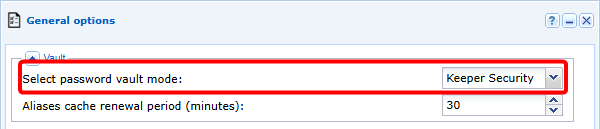
Next, enable the use of the Keeper Security vault:
Danger
Enabling the Keeper EPM vault disables the embedded vault.
As a result, all aliases contained in the built-in vault will no longer be usable and the relationships between aliases and applications will be lost.
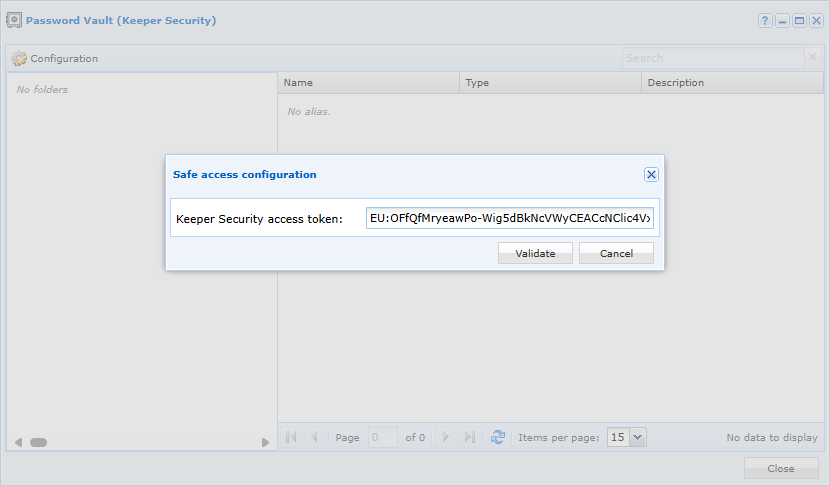
Then return to the main workspace and open the Vault. A second window will appear in which you must enter the KSM access token:
Using the Keeper EPM vault
The connection between cyberelements.io or cyberelements Cleanroom and Keeper EPM is read-only, therefore only the retrieval of credentials for use when connecting to applications or for password injection following an SSH command will be possible.
After connecting the Keeper EPM vault, the various entries are listed in the Vault module:
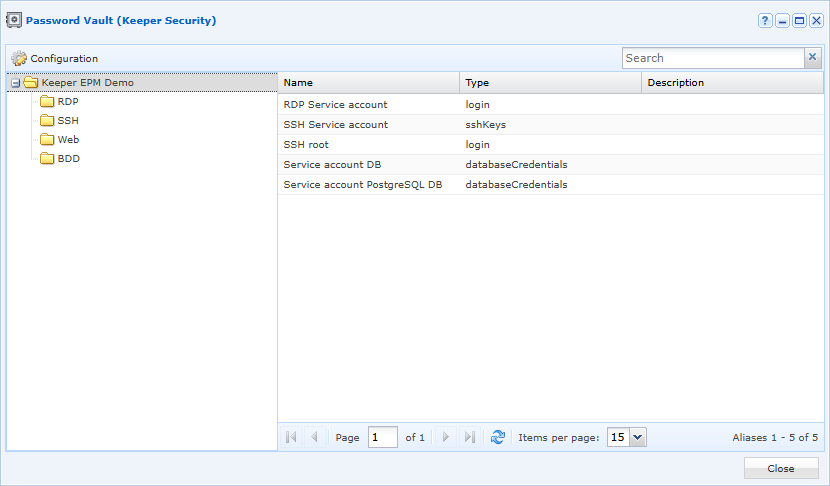
The following types of entries are supported for use with applications:
- Connection
- Database
- Server
- SSH key
- General
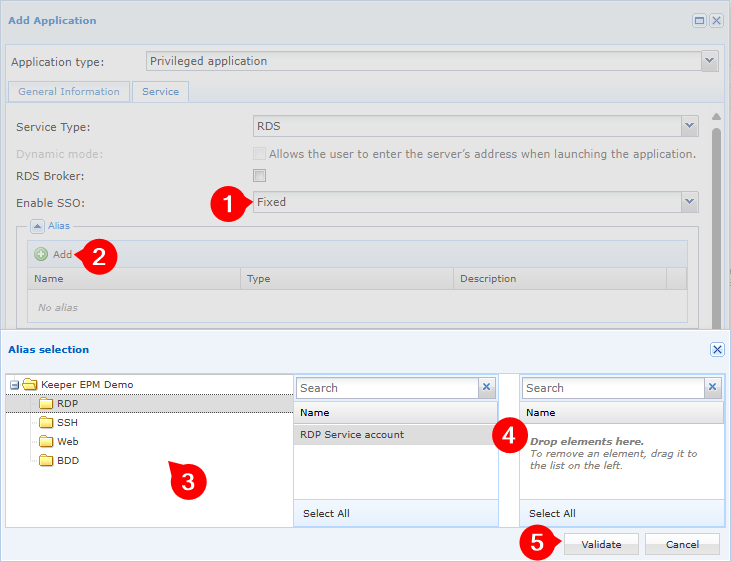
The display and selection of Keeper EPM entries is slightly different when associating them with applications: