Configuration of Workflows
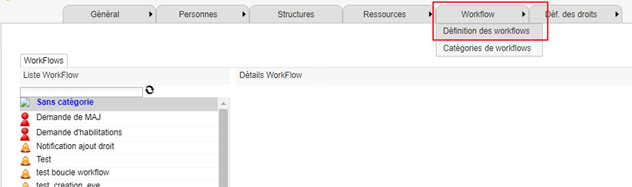
To access the workflow configuration page, go to the configuration console, then to the “Workflow/Workflow definition” menu.
The workflow configuration interface looks like this:
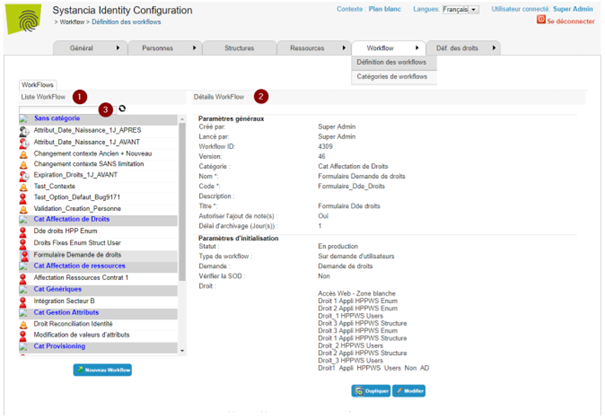
- 1: List of configured workflows,
- 2: Details of the selected workflow,
- 3: The search field allows to filter the display of workflows.
For each workflow you will need to:
- Configure the general settings for the workflow: Criteria for launching the workflow (on request, on an event, on a date), users and managers concerned...,
- Define validation rules for at least one step,
- Define the actions and tasks for each step: Validation, sending notifications, modifying personal information, modifying rights, assigning resources, executing a process (.exe or .bat),
- Define escalation steps when a deadline is exceeded.